


Let’s be honest — Moodle quizzes can get boring fast. You spend hours setting them up, students rush through them, and in the end, nobody’s particularly excited about the whole thing. Sound familiar?
It’s a pretty common struggle. Students get bored. Teachers — like you — spend too much time grading. It feels like a lose-lose situation.
But here’s the good news: there’s a simple, fun little trick that can make a big difference — Drag-and-Drop Matching Questions inside Moodle. (And don’t worry, you don’t have to be a tech genius to make it happen.)
What Are Drag-and-Drop Matching Questions?
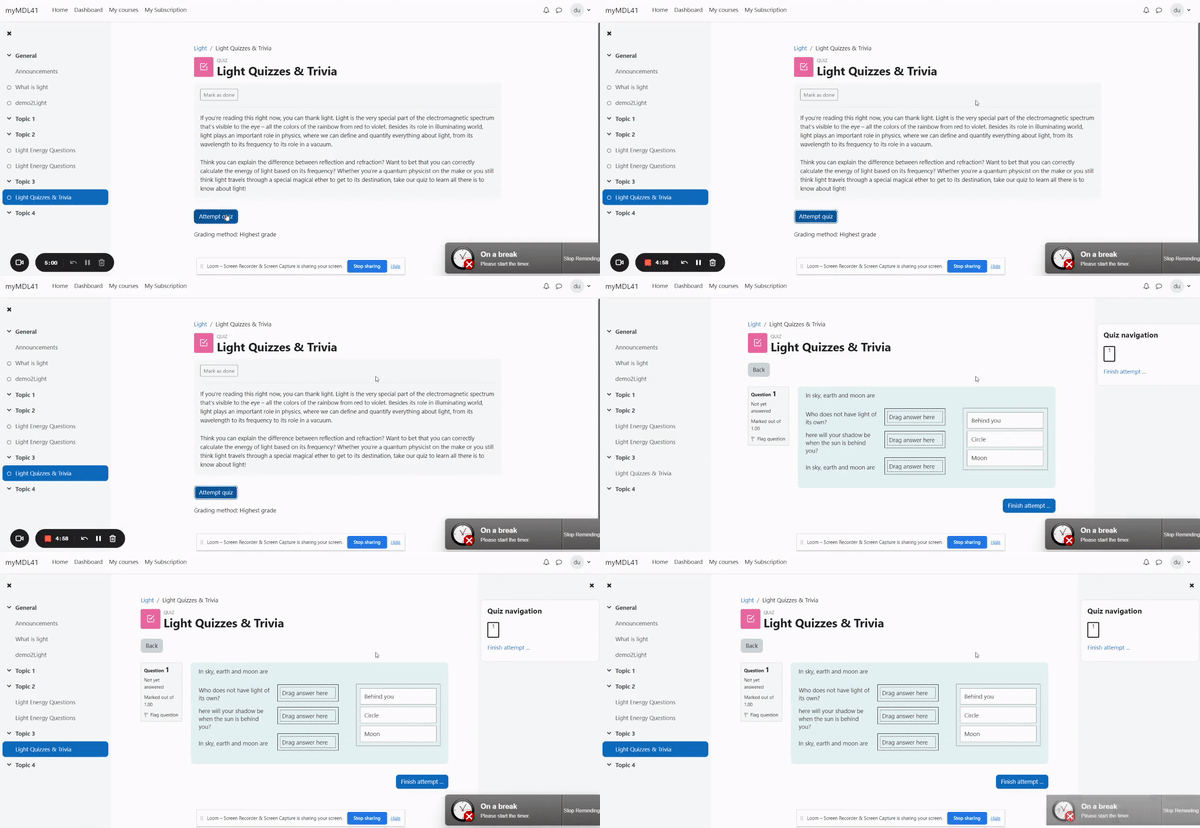
Picture this: instead of staring at a list of multiple-choice answers, your students are actually moving little answer blocks across the screen, matching them to the right spots.
It’s quick, it’s visual, and it feels a lot more like playing a game than taking a test.
Imagine a student dragging the word “Paris” and dropping it right next to “France.” There’s something satisfying about it — almost like completing a mini puzzle. It pulls students in without them even realizing they’re thinking harder and learning better.
Why Traditional Quizzes Fall Flat (And Students Tune Out)
Let’s be real — multiple-choice quizzes get old fast. Clicking a button isn’t exactly thrilling, and when students know exactly what’s coming, they mentally check out before they even start.
There’s no spark, no challenge, no real engagement. It turns the quiz into just another box to tick, rather than something they want to do. And honestly, when quizzes feel predictable, who can blame them?
How Drag-and-Drop Matching Solves the Problem
This is where Drag-and-Drop Matching turns things around.
Suddenly, students aren’t just guessing answers — they’re doing something. They’re moving pieces, solving little puzzles, thinking visually and actively. It brings a playful challenge into the mix, which keeps their brains switched on and their curiosity alive.
And while the students are having more fun, you get a huge bonus too: Moodle automatically grades the answers the moment they’re submitted. No more spending hours marking quiz after quiz. Set it up once, and you’re done. How good does that sound?
Plus, because students have to actually match ideas rather than pick from a list, you get a much clearer picture of who really understands the material — and who’s just good at guessing.
It’s a small shift in how you design your quizzes, but it makes a huge difference.
Pro Tips to Make It Even Better
Now, if you really want your quizzes to pop, here’s something to keep in mind.
Adding pictures alongside the text makes it even more fun, especially for younger students or visual learners. Think about matching flags to countries, or animal pictures to their names — it instantly makes the quiz more colorful and inviting.
Also, don’t be afraid to throw in a few extra answers that don’t belong anywhere. It keeps students on their toes and makes the game more of a challenge — but just a light one. We still want it to feel fun, not frustrating.
And here’s a small tip from experience: keep your answer texts short and sweet. Long-winded phrases can clutter up the screen and make it harder to focus, especially on phones or tablets.
Short answers = cleaner look = happier students.
Before you launch your quiz, it’s always a good idea to preview it yourself. Make sure everything looks neat, feels smooth to play, and works well on mobile too. A quick test drive can save you from any last-minute surprises!
Common Problems (and Easy Fixes)
Now, sometimes you might run into tiny hiccups, but nothing you can’t fix in minutes.
If your screen looks too crowded, just reduce the number of options. If things feel messy because of long answers, trimming the text usually does the trick. And if mobile users are struggling, a little testing and tweaking will make sure everything fits nicely on smaller screens.
Small adjustments here and there can completely change the quiz experience for the better.
Conclusion: Ready to Level Up Your Moodle Quizzes?
So there you have it.
Drag-and-Drop Matching isn’t just a fancy feature — it’s a simple, clever way to make quizzes more fun for students, and a whole lot easier for you.
You get to break out of the boring multiple-choice rut, spark real engagement, and save a ton of time on grading — all at once.
Not a bad deal, right?
Why not give it a shot in your next Moodle quiz? You might just find yourself wondering how you ever lived without it.